




Tektronix TBS1000Cデジタル・ストレージ・オシロスコープ
Textronix TBS1000Cデジタル・ストレージ・オシロスコープは、教育機関、組み込み設計エンジニア、メーカーコミュニティを対象に設計されています。オシロスコープは、7インチWVGAカラーディスプレイ、1GS/sサンプルレート、50MHz 200MHzの帯域幅を備えています。本機器は、ラボ演習とステップバイステップの手順を統合した革新的なコースウェアシステムでお求めいただけます。HelpEverywhere®システムから新規ユーザーのための便利なヒントやヒントが得られます。Tektronix TBS1000Cデジタル・ストレージ・オシロスコープには、5年間の保証が付いています。
特徴
- 7インチWVGAカラーディスプレイ
- 信号表示が50%増加した15の水平分割
- 32の自動測定
- 時間と周波数を同時に表示するデュアルウィンドウFFT
- 周波数カウンタをトリガー
- パンとズーム機能
- 10言語に対応する多言語のユーザーインターフェース
- 小型で軽量
- 低ノイズ動作のためのファンレス設計
- データ保存用のフロントパネルのUSB 2.0ホストポート
- PCに接続するリアパネルのUSB 2.0ホストデバイス
アプリケーション
- Educational institutions
- Embedded design engineers
- Maker communities
仕様
- 200MHz、100MHz、70MHz、50MHz帯域幅モデル
- 2チャンネル・モデル
- 全チャンネルで1GS/sのサンプルレート
- 全チャンネルでの20kポイントレコード長
- パルス、runt、ライントリガを含む高度なトリガ
- 5年間保証
ビデオ
前面
背面

学習と作業の効率化を実現する設計

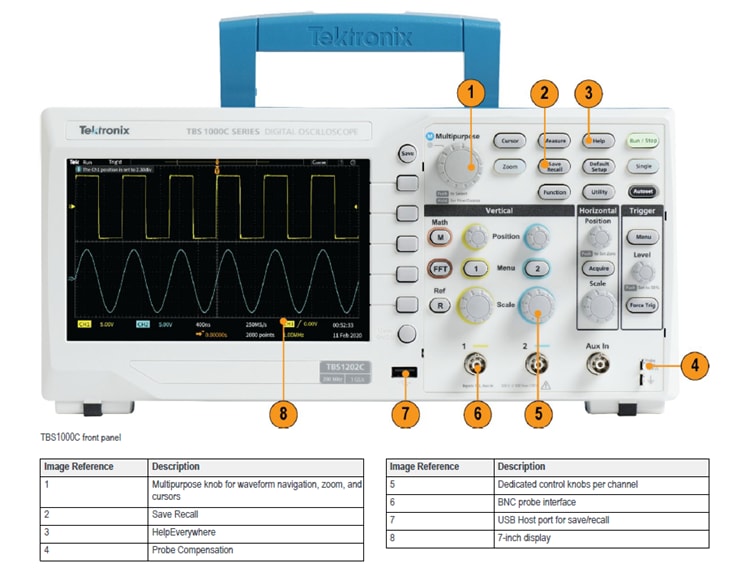
The TBS1000C oscilloscopes combine features and capabilities to provide quick hands-on learning and easy operation. Dedicated front panel controls offer easy access to important settings. The graticule, with 10 vertical divisions and 15 horizontal divisions, enables users to see more signals per screen. The large menus with clearly labeled and colored information are easy to navigate. The zoom function quickly pans through the record and zooms in to view the signal details in areas of interest.
自動測定と分析
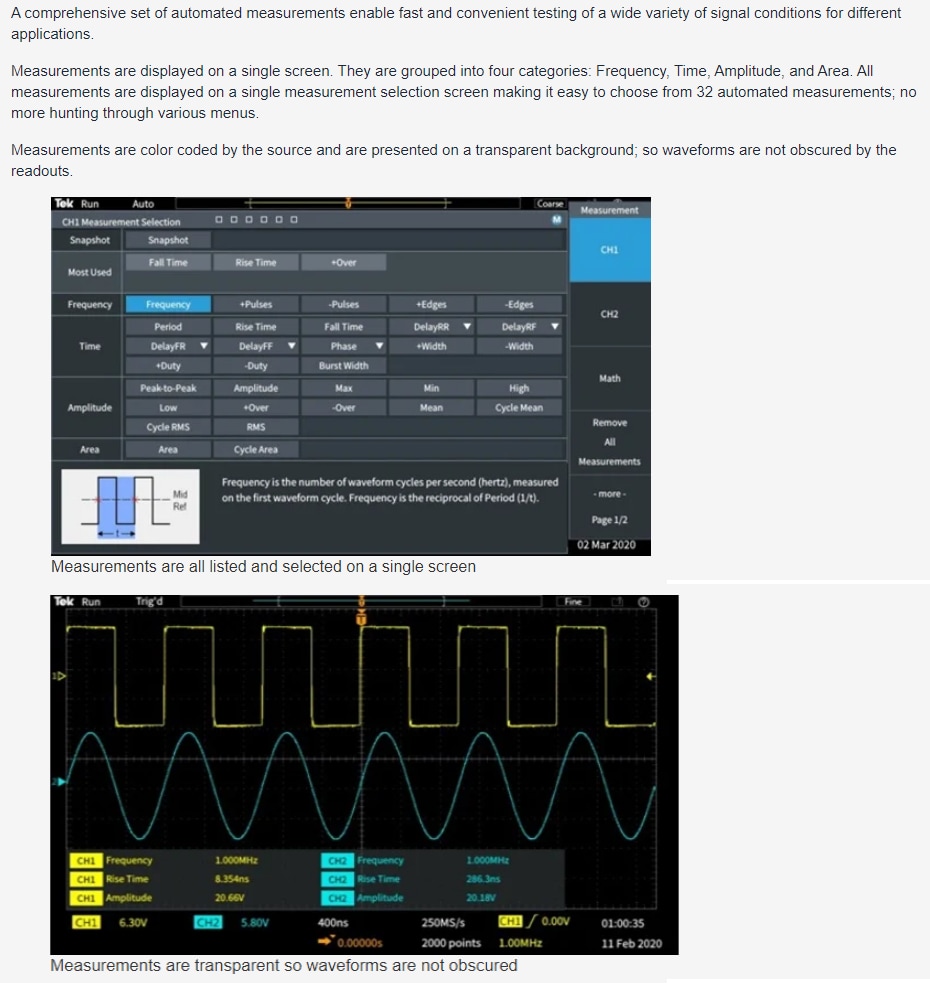
A comprehensive set of automated measurements delivers fast and convenient testing of various signal conditions for applications. Measurements are displayed on a single screen and grouped into four categories: frequency, time, amplitude, and area. All measurements are displayed on a single measurement selection screen to simplify choosing from 32 automated measurements. Measurements are color-coded by the source and displayed on a transparent background so waveforms are not obscured by the readouts.
FFT機能

The FFT function allows users to understand the frequency content of the signals by pressing the FFT button on the front panel. Users can display only the FFT or turn on the source waveform display to view both the frequency and the time domain waveform. A transparent readout shows vital settings without blocking the FFT display.
HelpEverywhere

The HelpEverywhere system provides help text with graphics to illustrate the different settings on the instrument. This makes it easier for new users to know which measurement to use and interpret the results. Help is offered in the same language as the user interface.
PC接続
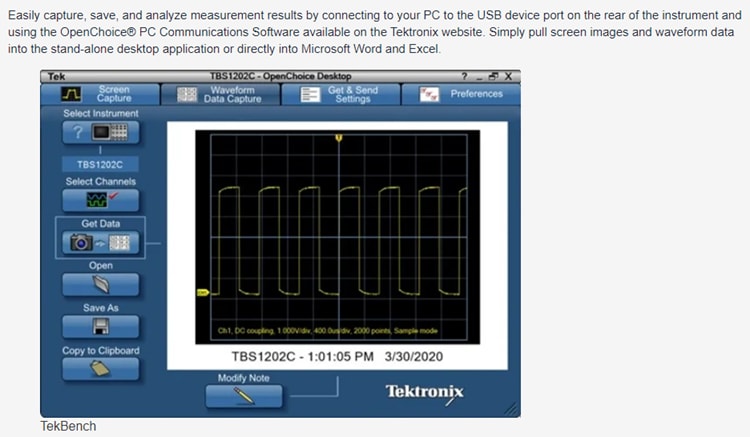
Easily capture, save, and analyze measurement results by connecting a PC to the USB device port on the rear of the instrument and using the OpenChoice® PC Communications Software on the Tektronix website. Users can simply pull screen images and waveform data into the stand-alone desktop application or directly into Microsoft Word and Excel.